Monday, 29 May 2017

Android Device WiFi Turn ON and OFF Programatically

If you want access device wifi programatically we need
  1. Permissions
  2. WifiManager

1. In Project Manifest file add thease permissons
<!-- we try to Enable or Disable WIFI, so we need permission -->
<uses-permission android:name="android.permission.CHANGE_WIFI_STATE" />
   
<!-- we try to fetching current WIFI state, so we need permission -->
<uses-permission android:name="android.permission.ACCESS_WIFI_STATE" />


2. In Project Activity file add this code to get WifiManager
getting WIFI MANAGER from System Service
WifiManager  wifiManager = (WifiManager)          
                             getSystemService(Context.WIFI_SERVICE);


methods to access wifi status and change wifi status

fetching current WIFI status
wifiManager.isWifiEnabled()

change wifi status
wifiManager.setWifiEnabled(true or false);

enable wifi status
wifiManager.setWifiEnabled(true);

disable wifi status
wifiManager.setWifiEnabled(false);

-------------------------------------------------------------
Screen Shots:

-------------------------------------------------------------

1. MainActivity
public class MainActivity extends Activity {

          WifiManager wifiManager;
          Button buttonON, buttonOFF;
          TextView textView;

          @Override
          protected void onCreate(Bundle savedInstanceState) {
                   super.onCreate(savedInstanceState);
                   setContentView(R.layout.activity_main);

                   // calling references or linking xml to java
                   textView = (TextView) findViewById(R.id.textView);
                   buttonON = (Button) findViewById(R.id.buttonON);
                   buttonOFF = (Button) findViewById(R.id.buttonOFF);

                   // getting WIFI MANAGER from System Service
                   wifiManager = (WifiManager)            
                             getSystemService(Context.WIFI_SERVICE);

                   // fetching current WIFI status and update to TextView.
                   if (wifiManager.isWifiEnabled())
                             textView.setText("WIFI : ENABLED");
                   else
                             textView.setText("WIFI : DISABLED");

                   // listener for ON button
                   buttonON.setOnClickListener(new OnClickListener() {

                             @Override
                             public void onClick(View v) {
                                      // enable WIFI
                                      wifiManager.setWifiEnabled(true);
                                      textView.setText("WIFI : ENABLED");
                             }
                   });

                   // listener for OFF button
                   buttonOFF.setOnClickListener(new OnClickListener() {

                             @Override
                             public void onClick(View v) {
                                      // disable WIFI
                                      wifiManager.setWifiEnabled(false);
                                      textView.setText("WIFI : DISABLED");
                             }
                   });

          }

}

2. activity_main.xml
<RelativeLayout xmlns:android="http://schemas.android.com/apk/res/android"
    xmlns:tools="http://schemas.android.com/tools"
    android:layout_width="match_parent"
    android:layout_height="match_parent"
    android:background="#800000ff"
    android:paddingBottom="@dimen/activity_vertical_margin"
    android:paddingLeft="@dimen/activity_horizontal_margin"
    android:paddingRight="@dimen/activity_horizontal_margin"
    android:paddingTop="@dimen/activity_vertical_margin"
    tools:context="com.venky.wifienabledemo.MainActivity" >

    <Button
        android:id="@+id/buttonON"
        android:layout_width="match_parent"
        android:layout_height="wrap_content"
        android:layout_alignParentTop="true"
        android:layout_centerHorizontal="true"
        android:layout_marginTop="121dp"
        android:text="ON"
        android:textSize="15dp" />

    <Button
        android:id="@+id/buttonOFF"
        android:layout_width="match_parent"
        android:layout_height="wrap_content"
        android:layout_alignLeft="@+id/buttonON"
        android:layout_below="@+id/buttonON"
        android:layout_marginTop="76dp"
        android:layout_weight="1"
        android:text="OFF"
        android:textSize="15dp" />

    <TextView
        android:id="@+id/textView"
        android:layout_width="wrap_content"
        android:layout_height="wrap_content"
        android:layout_alignParentTop="true"
        android:layout_centerHorizontal="true"
        android:layout_marginTop="50dp"
        android:gravity="center"
        android:text="WIFI : "
        android:textColor="#ffffff"
        android:textSize="25dp"
        android:textStyle="bold" />

</RelativeLayout>

3. AndroidManifest.xml
<?xml version="1.0" encoding="utf-8"?>
<manifest xmlns:android="http://schemas.android.com/apk/res/android"
    package="com.venky.wifienabledemo"
    android:versionCode="1"
    android:versionName="1.0" >

    <uses-sdk
        android:minSdkVersion="8"
        android:targetSdkVersion="18" />

    <!-- we try to Enable or Disable WIFI, so we need permission -->
    <uses-permission       
        android:name="android.permission.CHANGE_WIFI_STATE" />
    <!-- we try to fetching current WIFI state, so we need permission -->
    <uses-permission       
       android:name="android.permission.ACCESS_WIFI_STATE" />

    <application
        android:allowBackup="true"
        android:icon="@drawable/ic_launcher"
        android:label="@string/app_name"
        android:theme="@style/AppTheme" >
        <activity
            android:name=".MainActivity"
            android:label="@string/app_name" >
            <intent-filter>
                <action android:name="android.intent.action.MAIN" />

                <category android:name="android.intent.category.LAUNCHER"             />
            </intent-filter>
        </activity>
    </application>

</manifest>

************************************
    Download Full Source Code HERE

************************************

Runtime Permissions Request in Android

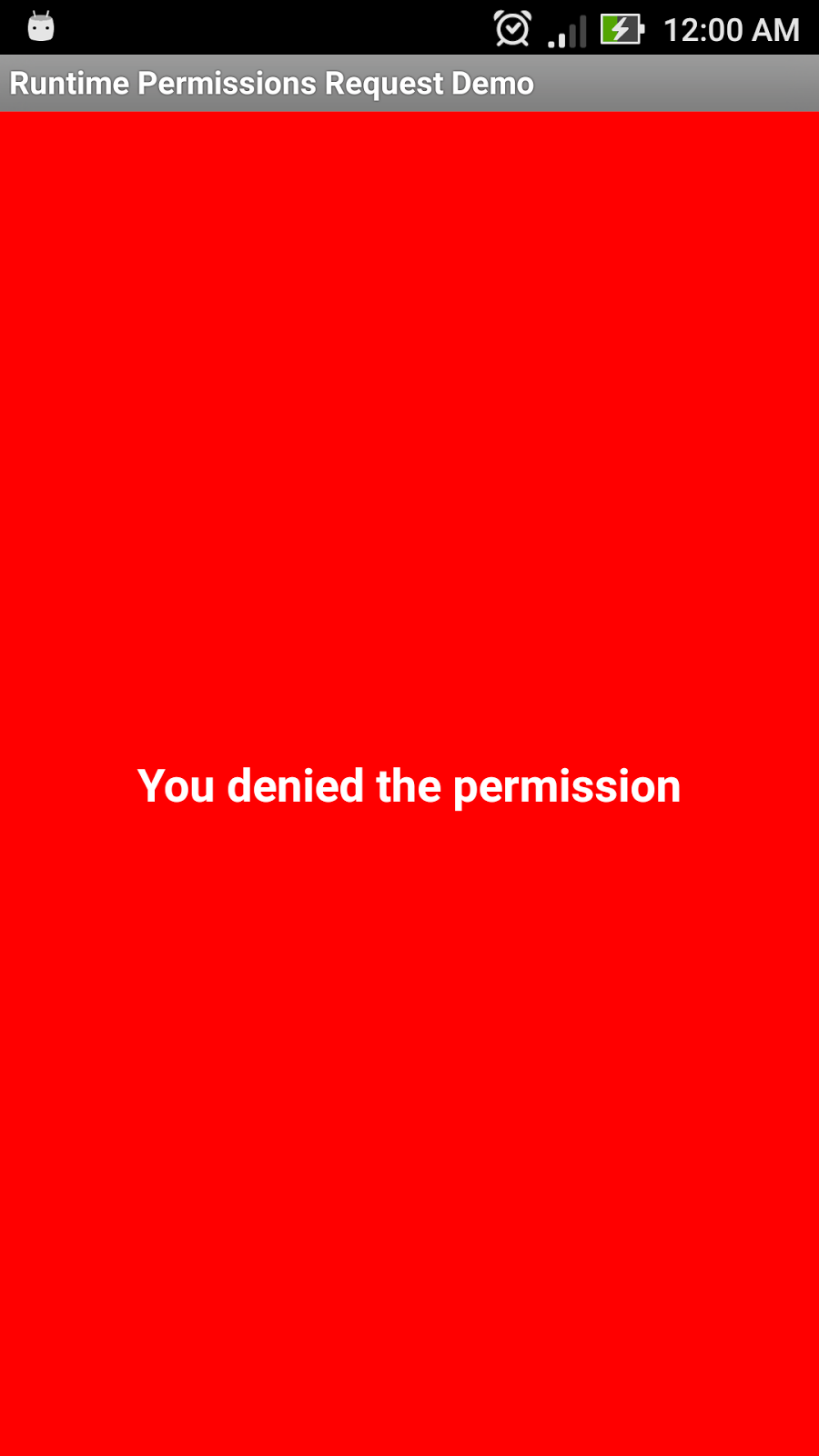
Screen Shots:


Note : Please add android-support-v4.jar file in Project libs folder.

1. MainActivity
public class MainActivity extends Activity implements
                   OnRequestPermissionsResultCallback {

          private static int REQUEST_CODE = 1;
          private TextView tv;
          private RelativeLayout layout;

          @Override
          protected void onCreate(Bundle savedInstanceState) {
                   super.onCreate(savedInstanceState);
                   setContentView(R.layout.activity_main);

                   // getting references
                   layout = (RelativeLayout) findViewById(R.id.layout);
                   tv = (TextView) findViewById(R.id.tv);

                   // checking weather the permission is already granted
                   if (ContextCompat.checkSelfPermission(this,
                   Manifest.permission.READ_CONTACTS) ==                    
                             PackageManager.PERMISSION_GRANTED) {

                             // permission is already granted
                             Toast.makeText(getApplicationContext(),
                             "Permission  already granted",                              
                                      Toast.LENGTH_LONG).show();

                             // setting background color and text
                             layout.setBackgroundColor(Color.BLUE);
                             tv.setText("Permission  already granted");

                   } else {
                             // permission is not granted yet
                             // Asking for permission
                             ActivityCompat.requestPermissions(this,
                                                new String[] {
                             Manifest.permission.READ_CONTACTS },
                                                REQUEST_CODE);

                   }

          }

          @Override
          public void onRequestPermissionsResult(int requestCode,
                             @NonNull String[] permissions, @NonNull int[]                        
                             grantResults) {

                   if (requestCode == 1) {

                             // checking if the permission is granted
                             if (grantResults.length > 0
                             && grantResults[0] ==                                                  
                             PackageManager.PERMISSION_GRANTED)
                             {

                                      // permission is granted,do your operation
                                      Toast.makeText(getApplicationContext(),                                                              "Permission granted",
                                                Toast.LENGTH_SHORT).show();

                                      // setting background color and text
                                      layout.setBackgroundColor(Color.BLUE);
                                      tv.setText("Permission granted");

                             } else {

                                      // permission not granted
                                      // Display your message to customer
                                      Toast.makeText(this, "You denied the permission",
                                                          Toast.LENGTH_LONG).show();

                                      // setting background color and text
                                      layout.setBackgroundColor(Color.RED);
                                      tv.setText("You denied the permission");

                             }
                   }

          }

}

2. activity_main.xml
<RelativeLayout xmlns:android="http://schemas.android.com/apk/res/android"
    xmlns:tools="http://schemas.android.com/tools"
    android:id="@+id/layout"
    android:layout_width="match_parent"
    android:layout_height="match_parent"
    android:orientation="vertical" >

    <TextView
        android:id="@+id/tv"
        android:layout_width="wrap_content"
        android:layout_height="wrap_content"
        android:layout_centerHorizontal="true"
        android:layout_centerVertical="true"
        android:gravity="center"
        android:text="@string/hello_world"
        android:textColor="#ffffff"
        android:textSize="20dp"
        android:textStyle="bold" />

</RelativeLayout>

3. AndroidManifest.xml
<?xml version="1.0" encoding="utf-8"?>
<manifest xmlns:android="http://schemas.android.com/apk/res/android"
    package="com.venkat.runtimepermissionsrequestdemo"
    android:versionCode="1"
    android:versionName="1.0" >

    <uses-sdk
        android:minSdkVersion="8"
        android:targetSdkVersion="23" />

    <uses-permission android:name="android.permission.READ_CONTACTS"          />

    <application
        android:allowBackup="true"
        android:icon="@drawable/ic_launcher"
        android:label="@string/app_name"
        android:theme="@style/AppTheme" >
        <activity
            android:name=".MainActivity"
            android:label="@string/app_name" >
            <intent-filter>
                <action android:name="android.intent.action.MAIN" />

                <category android:name="android.intent.category.LAUNCHER" />
            </intent-filter>
        </activity>
    </application>

</manifest>

Note : Please add android-support-v4.jar file in Project libs folder.

************************************

    Download Full Source Code HERE

************************************